
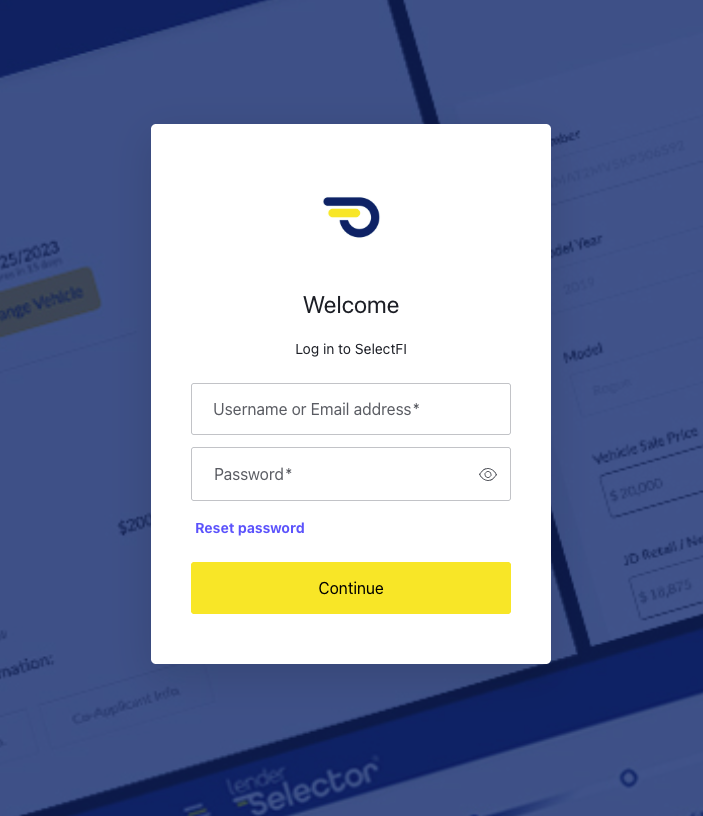
Go to your SelectFI login page. You'll see the Welcome screen with fields for your username or email and password.
Step 1: Click Reset PasswordBelow the password field, click the Reset password link.
|
Tip: You don't need to enter your password to use this link — if you can't remember it or it's not working, this is the fastest way back into your account. |
Enter your username or email address when prompted, then check your inbox for a password reset email from SelectFI.
Follow the link in that email to set a new password.
|
Tip: If the email doesn't arrive within a few minutes, check your spam folder before requesting another reset — requesting multiple resets in a row can make it harder to tell which link is the current one. |
- Go to your SelectFI login page
- Click Reset password below the password field
- Enter your username or email
- Check your email and follow the link to set a new password
Questions? Reach out to your SelectFI account team and we'll be happy to help.